Big Imports Keep Running After the Tab Closes
Once a large file is handed over, it should not depend on a tab staying open.
Product spreadsheet imports used to save chunk by chunk, and bulk changes to availability, tags and catalogue membership depended on the browser staying open. The whole file is now staged on the server and saved in one go, and bulk actions run as server jobs that survive a closed popup or a reload, show their real status, and can be cancelled.
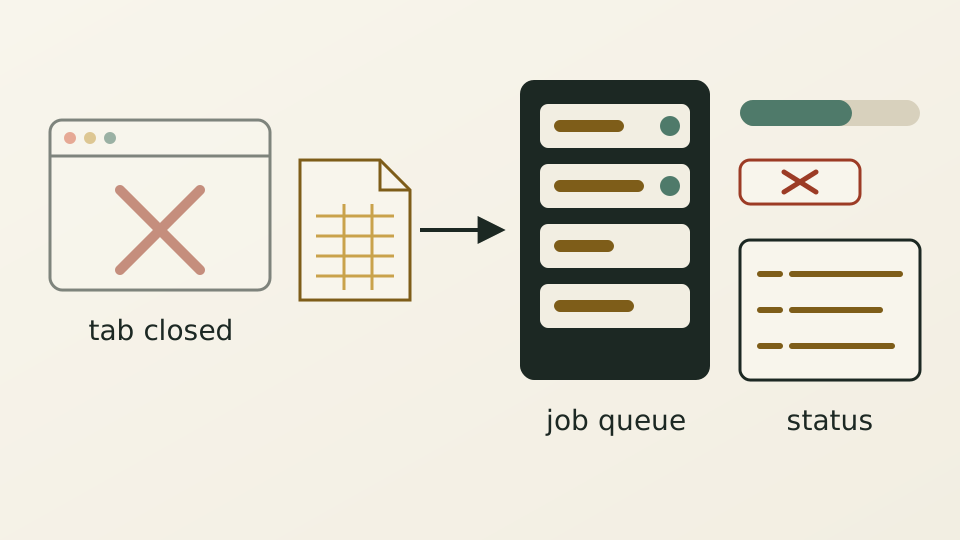
Importing a large hotel spreadsheet into the product library, or changing tags, availability or catalogue membership for a batch of products, is not a single click. Imports used to save chunk by chunk, and bulk actions relied on the browser sending and waiting. Close the tab or lose the connection and you could be left half changed, with no clear record of where it stopped.
This kind of work needs an executor that does not depend on a page, so imports and bulk actions now run as jobs on the server. An import stages the entire file before saving it in one go. Availability changes, platform deletion, tags and catalogue membership join the same per-tenant queue as imports; the changes and their recorded outcome are saved together in one step, and cached data refreshes only after that.
Close the popup and the job keeps running. Reload the page and you see the status recorded on the server, with a way to check again and a way to cancel. An incomplete or failed result never shows a success message, and tags are not painted as changed before the server confirms. Several catalogues chosen at once become one job saved in one step; if the second catalogue fails, the whole batch is undone.
More retries inside the browser would not fix the underlying problem, because pages get closed. With execution on the server, the page only starts, shows and cancels the work; close it and open it again, and it reads the progress and outcome recorded on the server. The import result banner still stays up for two days.