A Price Report You Can Forward As Is
The trouble with a report is rarely the numbers; it is the stitching and converting before anyone can read them.
Lookout comparison exports now produce one file per run, with source market as a column. Every amount gets a twin in the tenant’s business currency, converted at export time. A failed conversion or a missing offer leaves the cell blank instead of printing a confident-looking default.
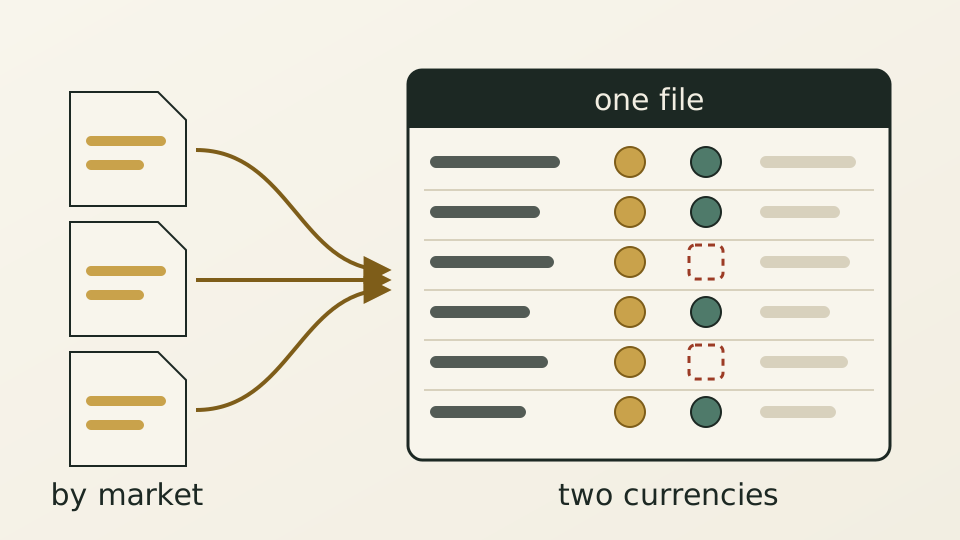
A revenue manager opens a price comparison and starts by tidying it. One run arrived as several files split by source market, so they get stitched together first. Suppliers quote in different currencies, so everything gets converted before anything can be compared. By the time the sheet is fit to forward, half a morning is gone.
Stitching and converting were not the worst of it. Some cells used to carry defaults such as zero or non-refundable where no offer existed at all. A reader cannot tell a supplier’s actual terms from data the system never received, and a confident-looking placeholder can quietly tilt the conclusion of the whole comparison.
Each run of a job now exports one file, with the source market kept as a column on every row. Each amount has a twin column converted into the tenant’s default currency at export time; if a conversion fails, that cell stays blank rather than guessing a rate. Cells with no offer stay blank too. Columns follow reading order: hotel and stay window, then the comparison, then each supplier’s detail, with star rating, country and address where available.
Currency now has one source. Creating a job used to involve picking a search currency that could disagree with the currency set on the supplier connection. Now each supplier is searched in the currency its connection is configured for, there is nothing to pick, and extra currencies no longer multiply the number of queries a job runs.