Your Own Hotel ID Is Enough to Get Into the Catalogue
A row without a supplier code is not a hotel that does not exist.
Rows in an imported hotel list that carried only the customer’s own hotel ID, and no supplier ID, used to be skipped. Catalogue imports now derive a fixed key from that ID: those hotels make it in, and importing the same list again updates the same rows instead of adding copies.
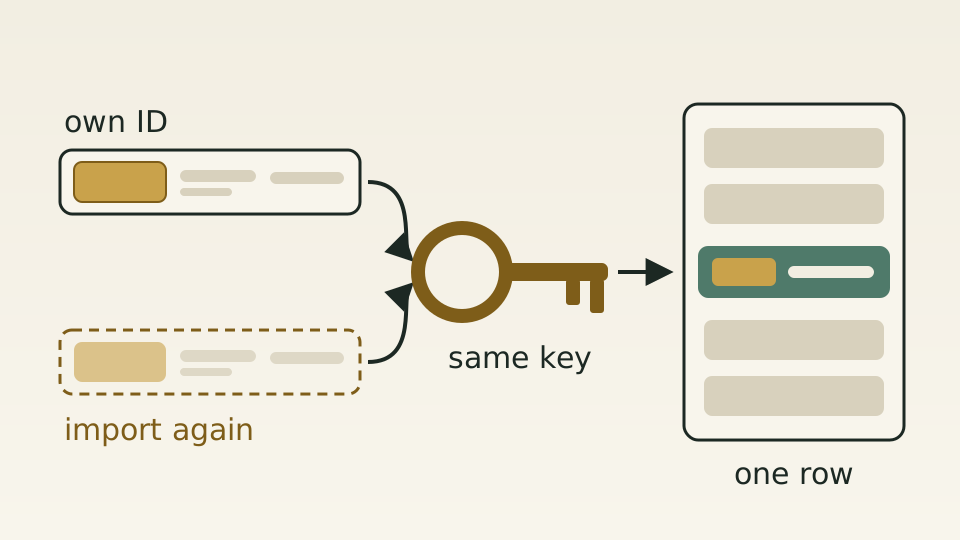
Many customers keep their hotel list in their own system and export it as a sheet: their own hotel ID, the name, then address and city, and no supplier ID anywhere. Some of those hotels were signed recently and are not yet connected to any supplier. Others are simply records the customer maintains for itself.
The import pipeline used supplier IDs to build each row’s key and skipped the row when it found none. The result was hard to spot: the upload succeeded, the preview looked fine, and none of those rows reached the catalogue. Handing each one a fresh ID would have caused a different problem: importing the same file twice would leave two copies of every hotel.
The customer’s own ID becomes the key. When a row has no supplier ID, the catalogue import derives a fixed key from the hotel’s own ID, read from the template’s hotel ID column or the older column names. The same input always yields the same key, so a repeat import merges into the existing row rather than growing a duplicate.
A list can be built on the customer’s own IDs first, without waiting for every hotel to be connected to a supplier. When names or addresses change, importing again with the same IDs updates the rows that are already there. A row with neither a supplier ID nor an own ID is still rejected rather than slipping into the catalogue.